
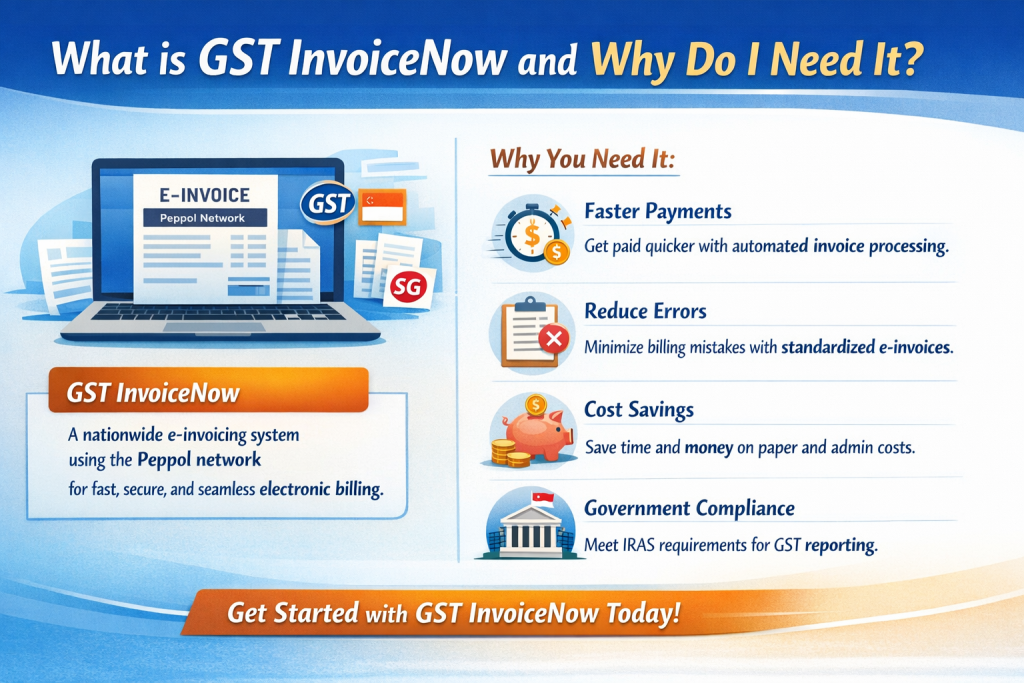
What is GST InvoiceNow and why do I need it?
GST InvoiceNow is Singapore's government-approved cloud invoicing platform that automatically creates GST-compliant invoices, validates GST registration numbers and pushes the data to IRAS for real-time filing, helping businesses meet the mandatory e-invoicing requirement for GST-registered entities. As of 2026, IRAS has announced a phased rollout requiring all GST-registered businesses to comply by April 2031.
Why GST InvoiceNow Is Mandatory (2026 Update)
- Legal requirement – IRAS announced in February 2026 that all GST-registered businesses must comply with the GST compliance requirements through a phased implementation ending April 2031.
- Phased timeline:
- Phase 1 (Nov 1, 2025): Businesses that voluntarily registered within 6 months
- Phase 2 (April 1, 2026): ALL new voluntary GST registrants must use InvoiceNow immediately upon registration
- Phase 3 (By April 2031): ALL GST-registered businesses must comply
- Real-time reporting – Invoice data is transmitted to IRAS instantly, reducing the risk of late filing penalties.
- Data integrity – Automatic validation of GSTINs and calculation of tax eliminates manual errors.
- Audit readiness – Stored invoices are tamper-proof and can be retrieved instantly during IRAS audits.
- PEPPOL Framework – Singapore is adopting the PEPPOL e-invoicing standard, and InvoiceNow integrates with this international framework for cross-border invoicing.
Key Features of GST InvoiceNow (2026)
| Feature | Description | Benefit |
|---|---|---|
| Auto-GST Calculation | System calculates GST at the prevailing rate (currently 8%) and applies any exemptions. | Eliminates manual tax errors. |
| GSTIN Validation | Real-time verification of buyer's GST registration number against IRAS database. | Ensures claimable input tax. |
| IRAS API Integration | Invoices are automatically submitted to IRAS via secure API. | Meets the real-time filing mandate. |
| Multi-Currency Support | Handles foreign-currency invoices with automatic conversion at the prevailing exchange rate. | Useful for export-oriented SMEs. |
| Accounting Software Connectors | Pre-built integrations for Xero, QuickBooks, NetSuite, Sage, and MYOB. | Seamless sync of invoice data. |
| Secure Cloud Storage | All invoices stored for a minimum of 5 years with encryption. | Compliance with record-keeping requirements. |
| Custom Branding | Upload your logo and set corporate colours. | Maintains brand consistency. |
| PEPPOL Integration | Supports PEPPOL e-invoicing network for international transactions. | Future-ready for cross-border compliance. |
Step-by-Step Setup Guide (2026)
1. Verify Eligibility
Check that you are GST-registered with IRAS. Note: From April 1, 2026, all new voluntary GST registrants must use InvoiceNow immediately. If you registered before this date, IRAS will notify you of your mandatory implementation date by mid-2026.
2. Register for InvoiceNow
Visit the IRAS InvoiceNow portal, create a business account and complete the KYC verification (company registration number, director ID, and bank details).
3. Choose a Pricing Tier
- Basic – up to 100 invoices/month (S$30).
- Standard – 101-500 invoices/month (S$70).
- Enterprise – unlimited invoices (custom quote).
4. Connect Your Accounting System
Use the native connector or the REST API (documentation provided in the portal) to map your invoice fields (customer, amount, GST rate, etc.). Ensure your accounting requirements align with InvoiceNow setup.
5. Configure GST Settings
- Set the default GST rate (8% as of 2026).
- Enable GSTIN validation for B2B customers.
- Define exemption codes if you sell zero-rated or exempt items.
6. Create Your First Invoice
Enter the buyer's details, select the product/service, and click "Generate Invoice". The system will auto-populate GST, assign a unique InvoiceNow number, and push the data to IRAS.
7. Review & Archive
Invoices are stored securely in the cloud. Download PDF copies for client distribution and keep the digital record for at least 5 years.
Pricing Overview (2026)
| Plan | Monthly Fee (S$) | Invoice Limit | Key Add-Ons |
|---|---|---|---|
| Basic | 30 | Up to 100 | Standard API, Email support |
| Standard | 70 | 101-500 | Priority support, Advanced analytics |
| Enterprise | Custom | Unlimited | Dedicated account manager, Custom integrations |
Compliance Checklist for GST InvoiceNow
- Confirm GST registration status and check your mandatory implementation date.
- Register on the IRAS InvoiceNow portal and complete KYC.
- Choose the appropriate pricing tier.
- Integrate with your accounting or ERP system.
- Set default GST rate (8%) and enable GSTIN validation.
- Generate the first invoice and verify that it appears in the IRAS dashboard.
- Review your tax compliance checklist to ensure InvoiceNow aligns with broader compliance obligations.
- Store all invoices securely for a minimum of 5 years.
- Set calendar reminders for monthly subscription renewal and quarterly GST filing.
- Periodically review audit logs in the InvoiceNow portal.
Common Pitfalls & How to Avoid Them
- Missing GSTIN validation – Always enable the validation toggle; otherwise input tax claims may be rejected.
- Using the wrong GST rate – Keep the system updated; the rate is 8% as of 2026.
- Delayed subscription payment – A lapsed subscription stops invoice transmission to IRAS, leading to non-compliance penalties. Ensure your corporate compliance obligations include timely subscription management.
- Incorrect invoice numbering – InvoiceNow auto-generates sequential numbers; do not overwrite them manually.
- Insufficient data backup – Although cloud-stored, export a monthly backup CSV for internal records.
- Ignoring the April 1, 2026 deadline – If you registered for GST after April 1, 2026, InvoiceNow is mandatory immediately upon registration.
Frequently Asked Questions
- Do I need InvoiceNow if my turnover is below S$1 million?
- No. However, from April 1, 2026, all new voluntary GST registrants must use InvoiceNow regardless of turnover. If you registered before this date, IRAS will notify you of your mandatory implementation date.
- Can I switch from another e-invoicing provider to InvoiceNow?
- Yes. Export your existing invoices as CSV, then import them into InvoiceNow via the bulk-upload tool.
- Is there a free trial?
- IRAS offers a 30-day trial for the Basic plan with up to 50 invoices.
- What happens if I issue a manual paper invoice?
- Manual invoices are still allowed for non-GST-registered customers, but any GST-eligible sale must be recorded in InvoiceNow to satisfy IRAS reporting.
- How are penalties calculated for non-compliant invoices?
- IRAS may levy up to S$10,000 per non-compliant invoice, plus possible GST surcharge and audit triggers.
- What is PEPPOL and how does it relate to InvoiceNow?
- PEPPOL is an international e-invoicing standard that Singapore is adopting. InvoiceNow integrates with the PEPPOL network, enabling compliant cross-border invoicing for multinational businesses.
- When do I need to comply if I registered for GST before April 1, 2026?
- IRAS will notify you of your mandatory implementation date by mid-2026. The phased rollout ensures all businesses comply by April 2031.
- Can I get professional help setting up InvoiceNow?
- Yes. Consider engaging professional accounting support to ensure proper setup and ongoing compliance.
Final Quick Checklist
- ✔ Verify GST registration and check your mandatory implementation date.
- ✔ Register on the IRAS InvoiceNow portal.
- ✔ Choose the right pricing tier.
- ✔ Connect your accounting software (Xero, QuickBooks, etc.).
- ✔ Set GST rate to 8% and enable GSTIN validation.
- ✔ Generate and send your first InvoiceNow invoice.
- ✔ Archive invoices for at least 5 years.
- ✔ Monitor subscription renewal dates.
- ✔ Review audit logs quarterly.
- ✔ Stay updated on PEPPOL e-invoicing framework for cross-border transactions.